
Train
Routines, every set, and the weight you lifted last time.
 Bayda
Bayda
Log your sets and runs, snap your plate for calories, and see what is working, with friends.Workouts, runs and AI meal scans, with friends.


Strength, cardio and food live side by side in Bayda, so you can see how each part of your week feeds the rest.
Routines, every set, and the weight you lifted last time.
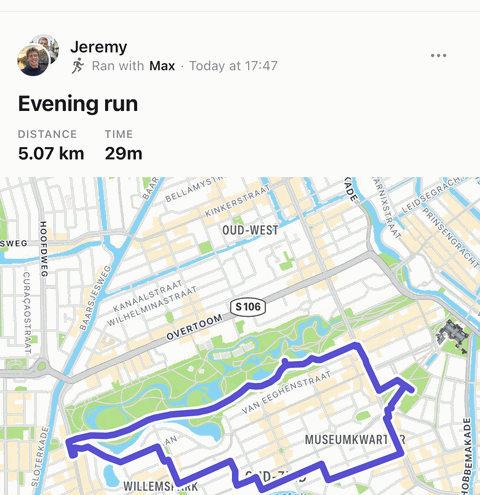
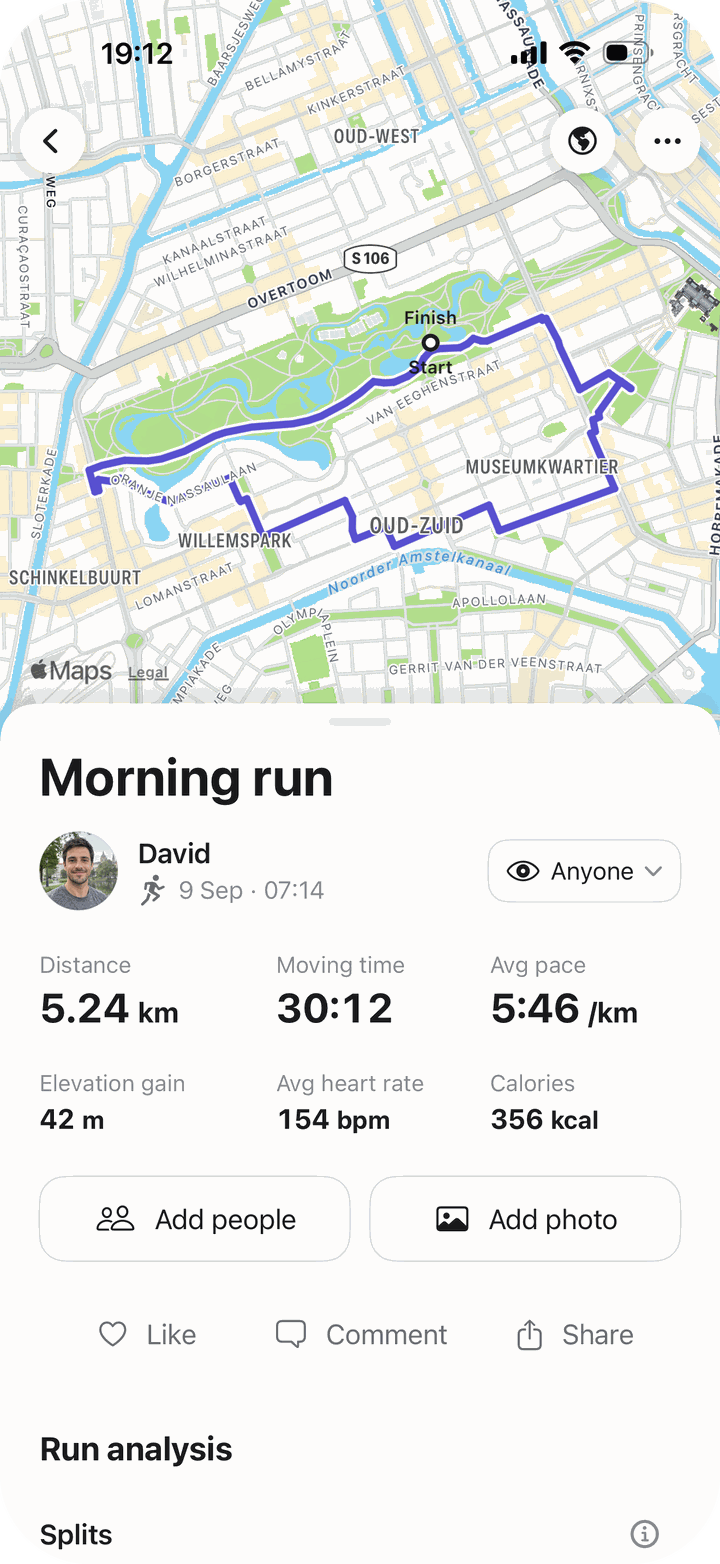
Runs, walks and rides, with your route, pace and splits.
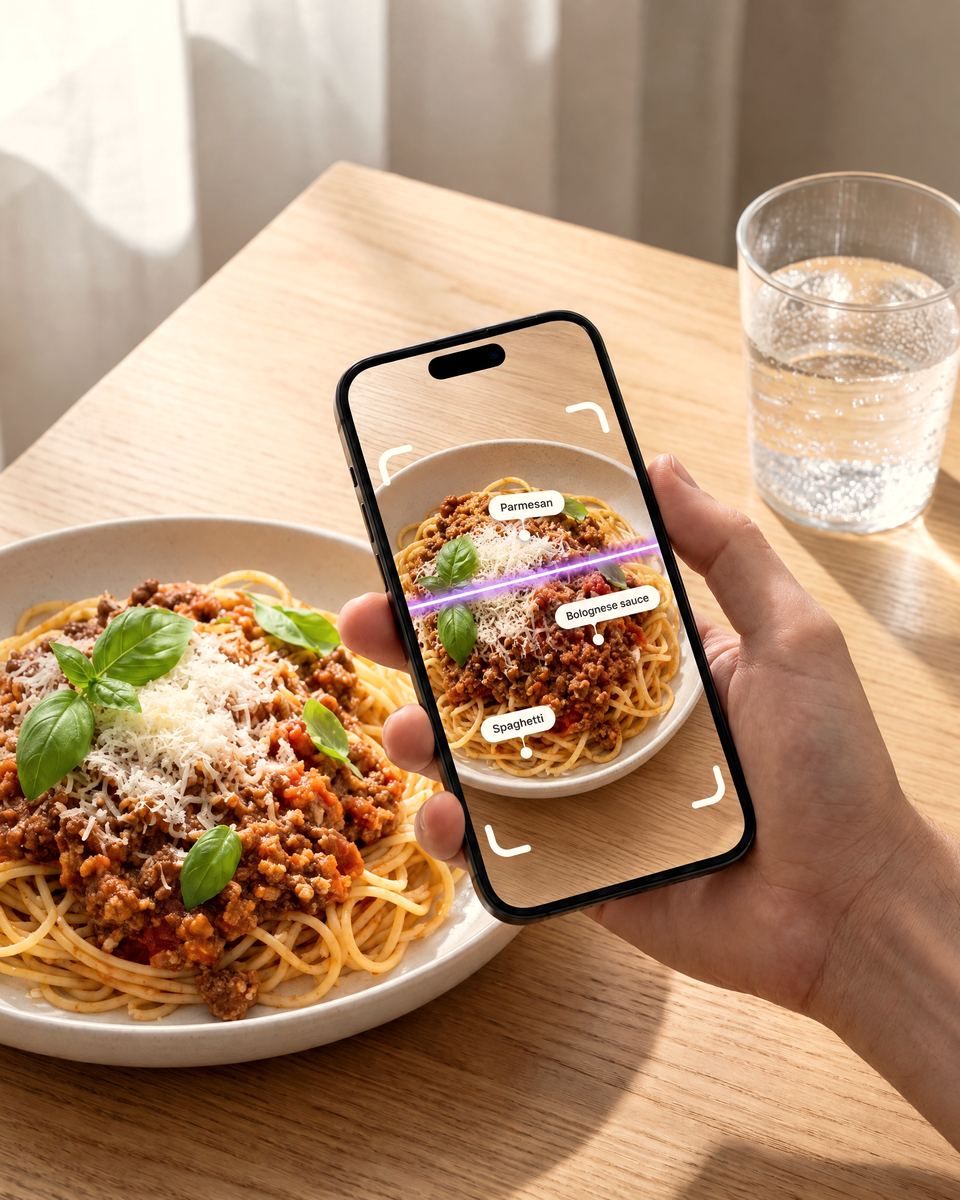
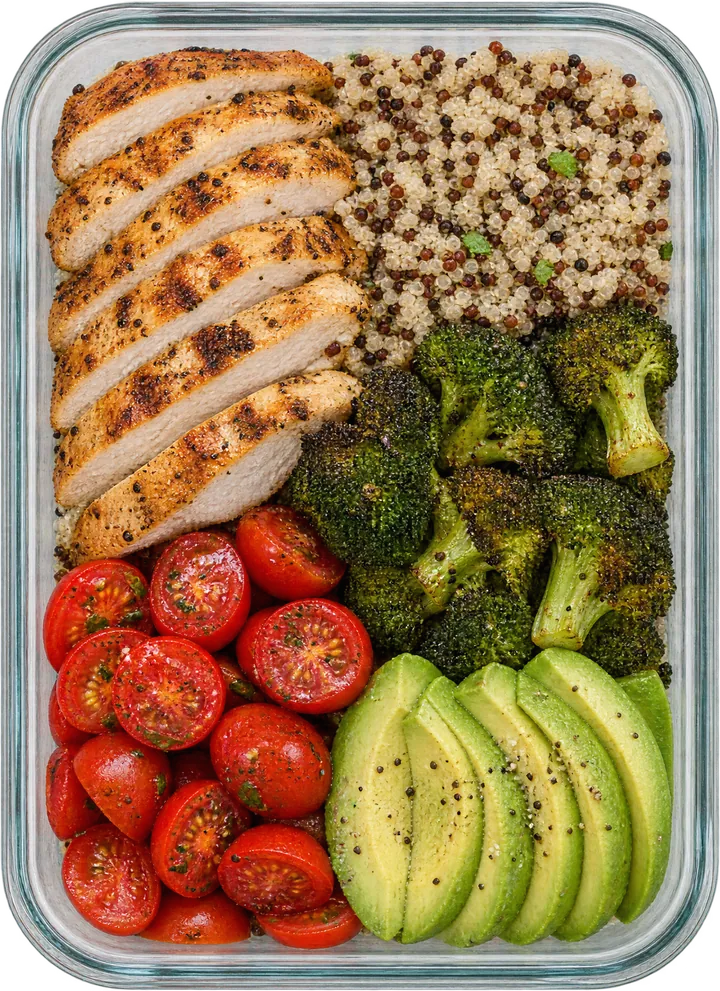
Snap your plate and AI counts the calories and macros.
 Progress
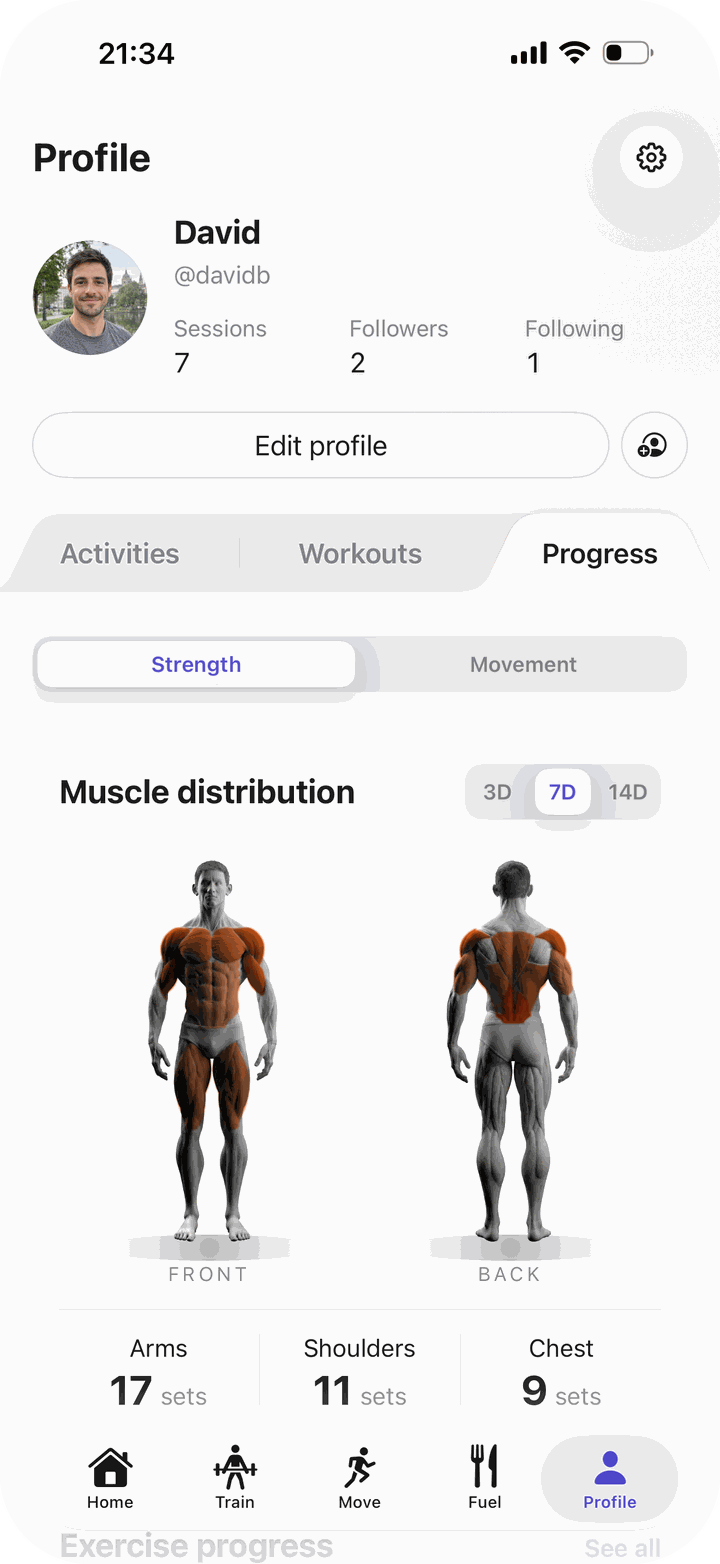
The muscles you trained, your records and your trends.
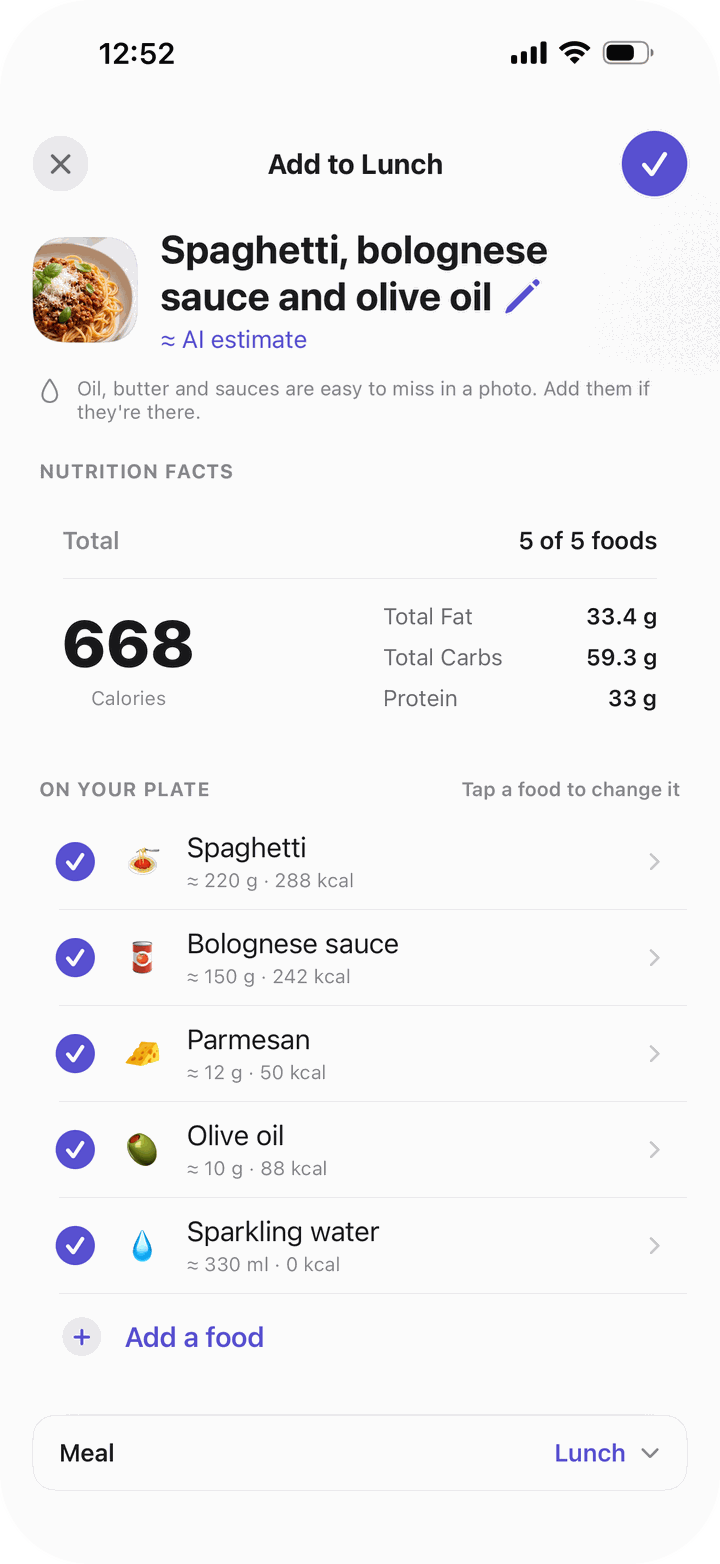
Fuel · AI food scan
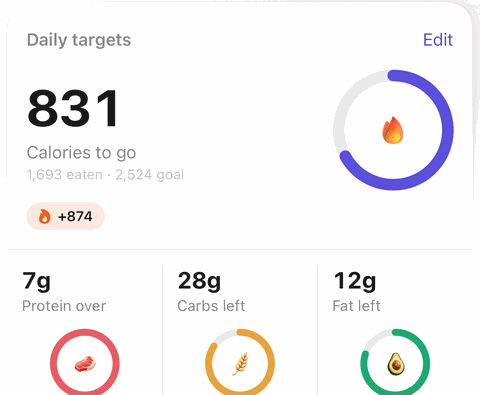
Take one photo of your meal. Bayda’s AI names each food on the plate, estimates the portion and adds up the calories and macros in seconds. Set a goal, and every meal counts down from there.
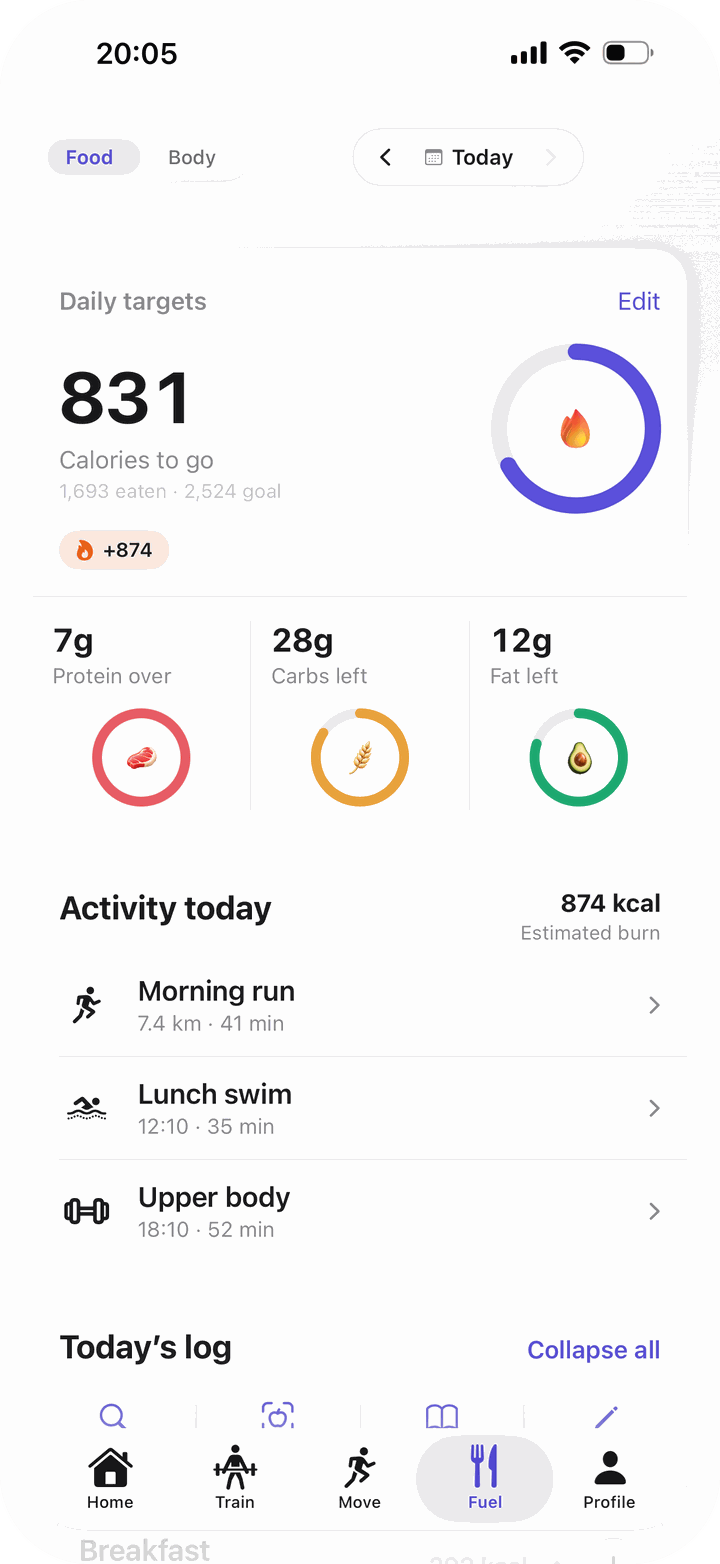
Daily targets
831
Calories to go
+874
7gProtein over
28gCarbs left
12gFat left
Train
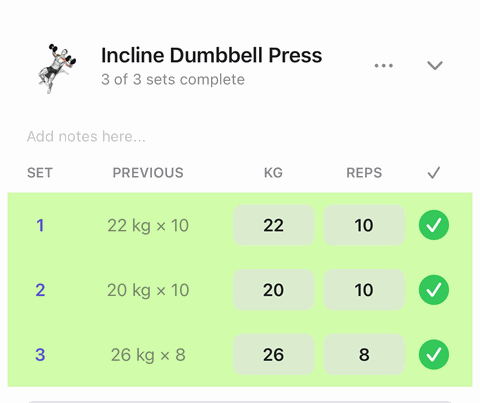
Bayda shows what you lifted last time, times your rest, and marks a new record for you.

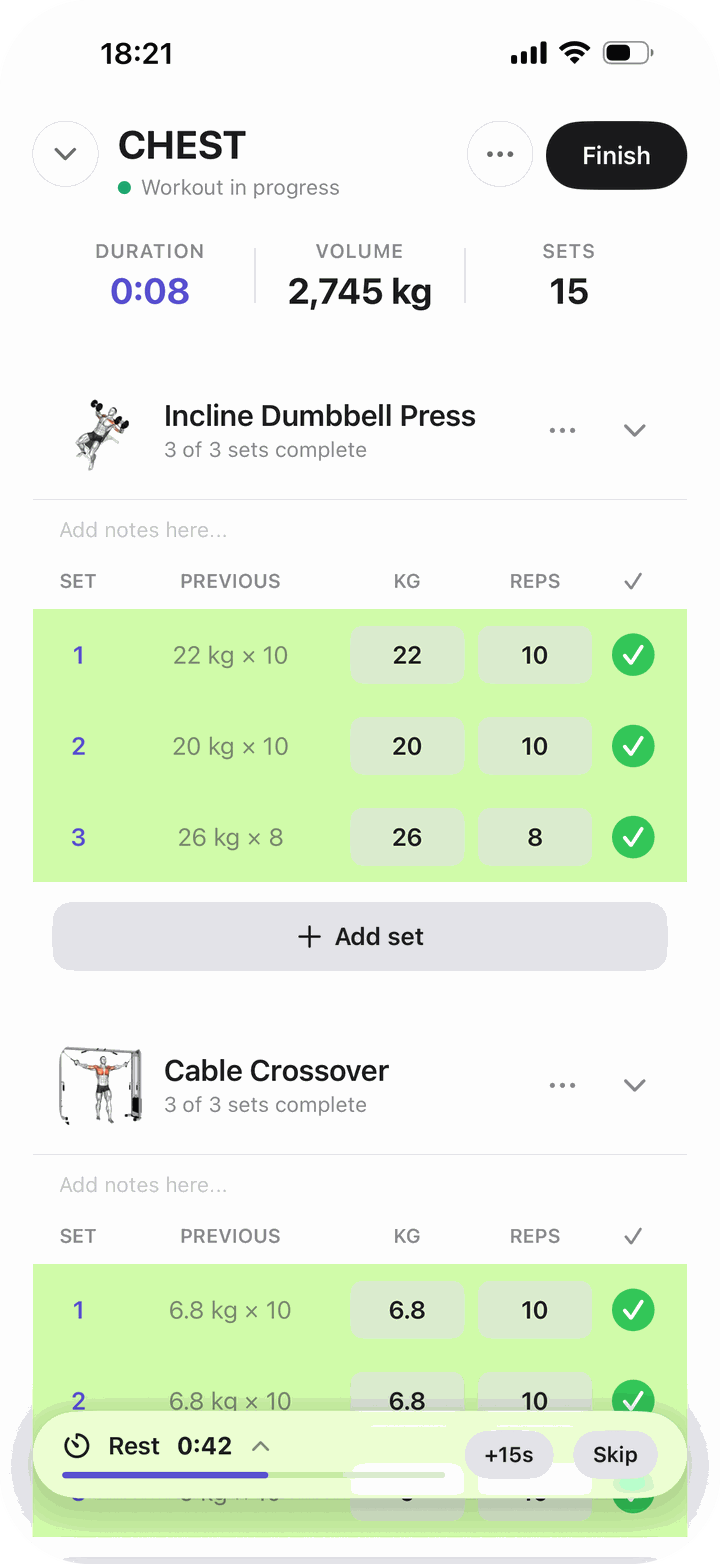
Move
Press start and go. Route, pace and splits from GPS, plus heart rate with an Apple Watch.
© OpenStreetMap contributors

Bayda brings in the workouts you record on Apple Watch or in other apps, routes included, and can save your Bayda sessions back to Apple Health.

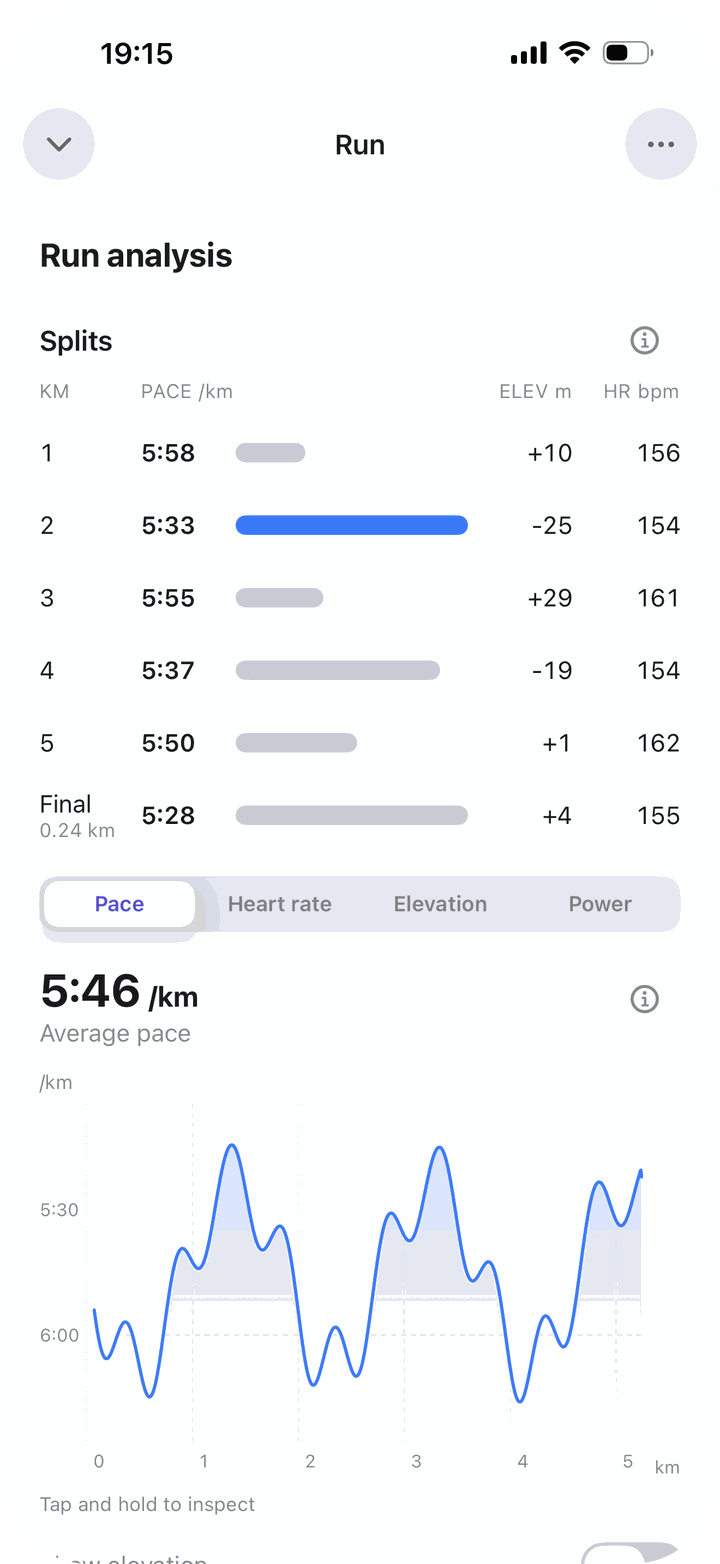
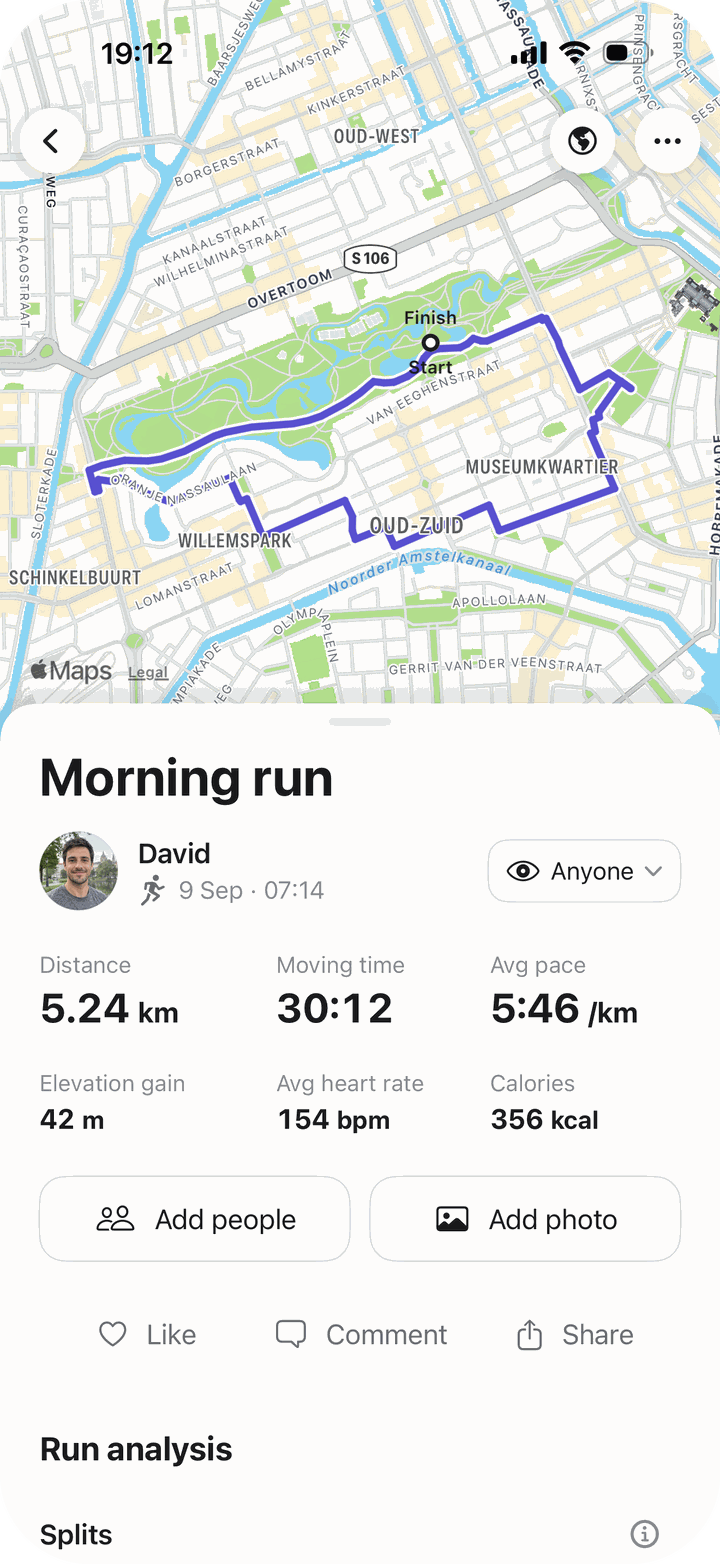
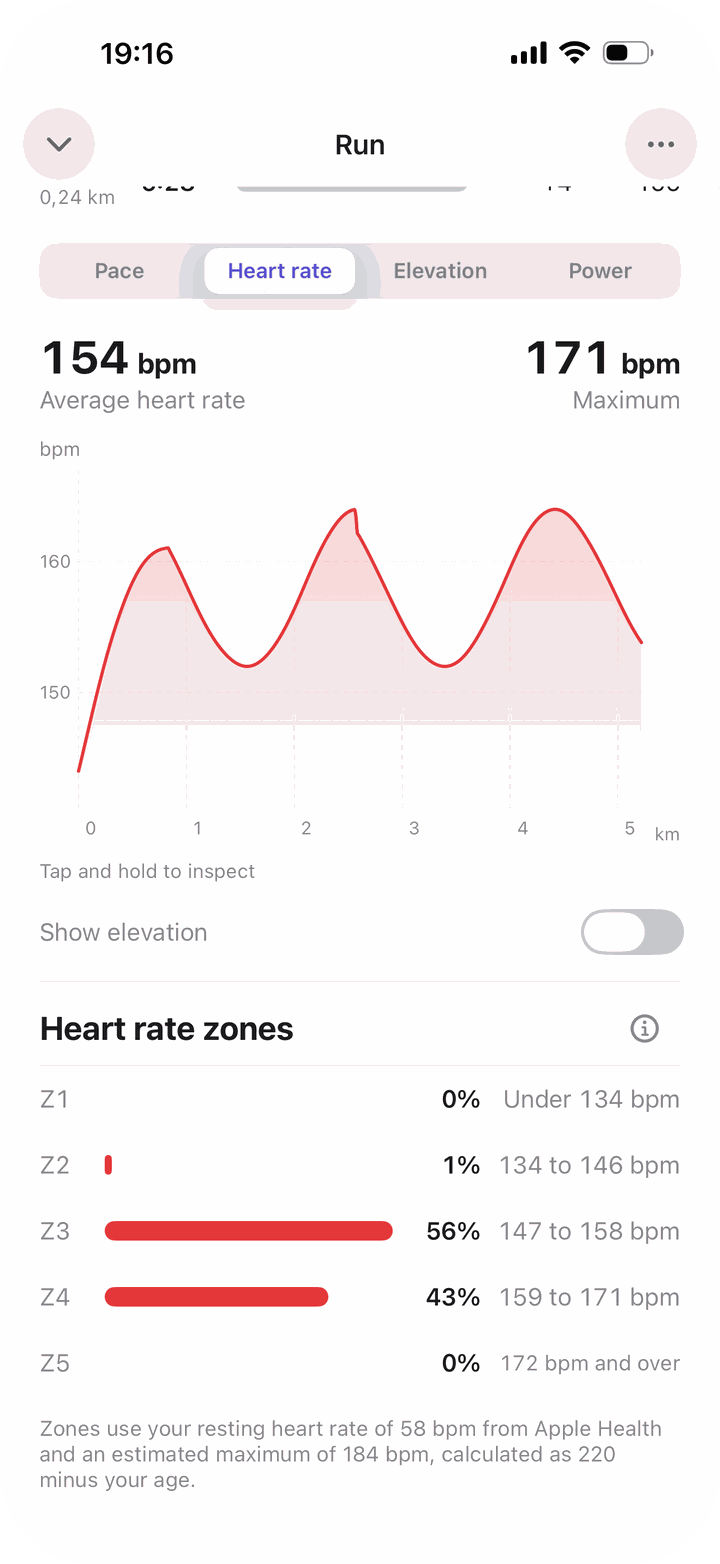
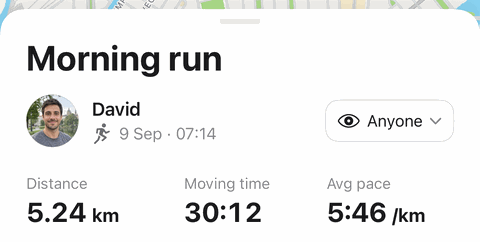
Every detail of every run: route, pace, splits and heart rate, clear at a glance.
Progress
Training, runs, meals and weight live in one app, so the trends are easy to see.
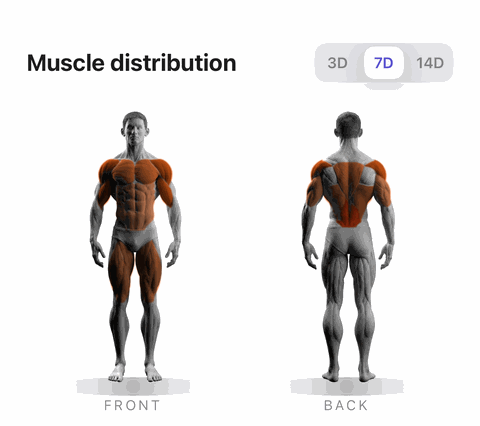
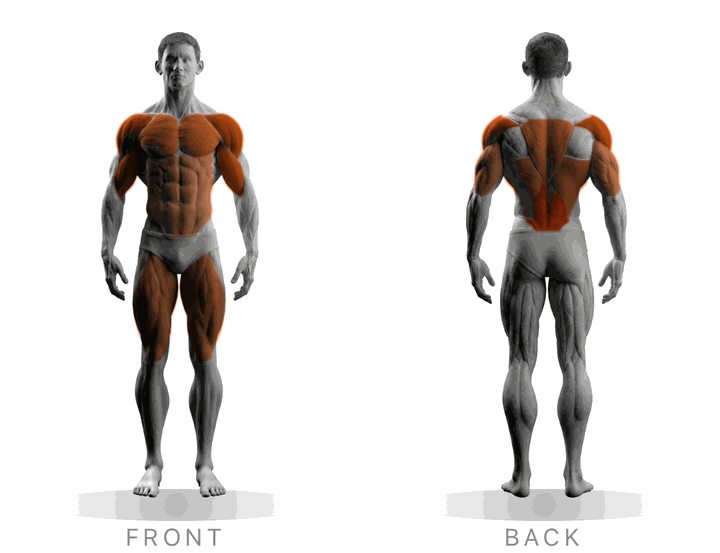
A front and back body map shows how many sets each muscle group got this week.
Muscle distribution
Training consistency counts your sessions week by week, with this week in orange.
Training consistency
4.9 sessions / week
Last 8 weeksThis week: 1 session
Training distribution compares the sets you logged this period with the one before.
Training distribution
This periodPrevious period
Movement shows your weekly distance across runs, walks and rides, and your pace over time.
Movement overview
7.4 km · 1h 12m · 4 activities
Last 9 weeksWeekly distance

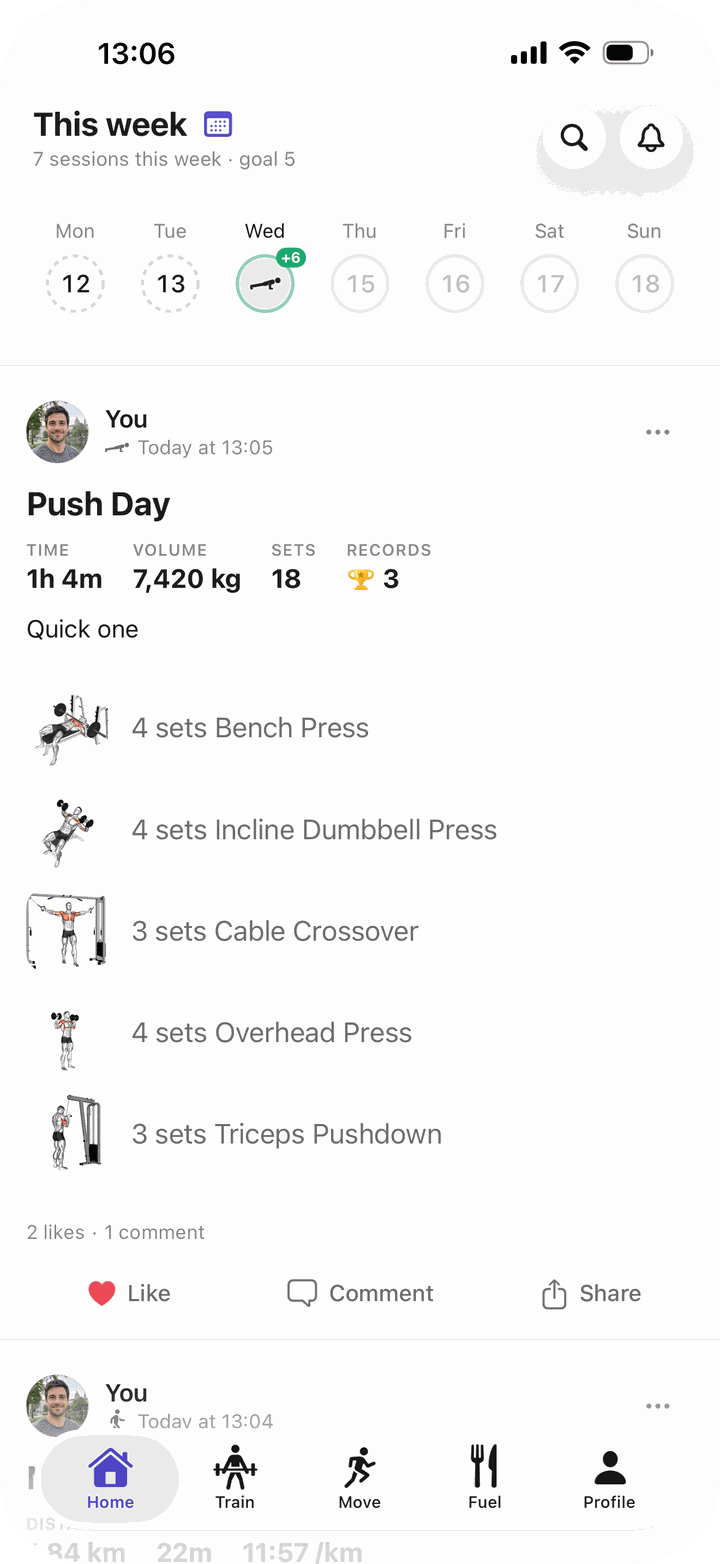
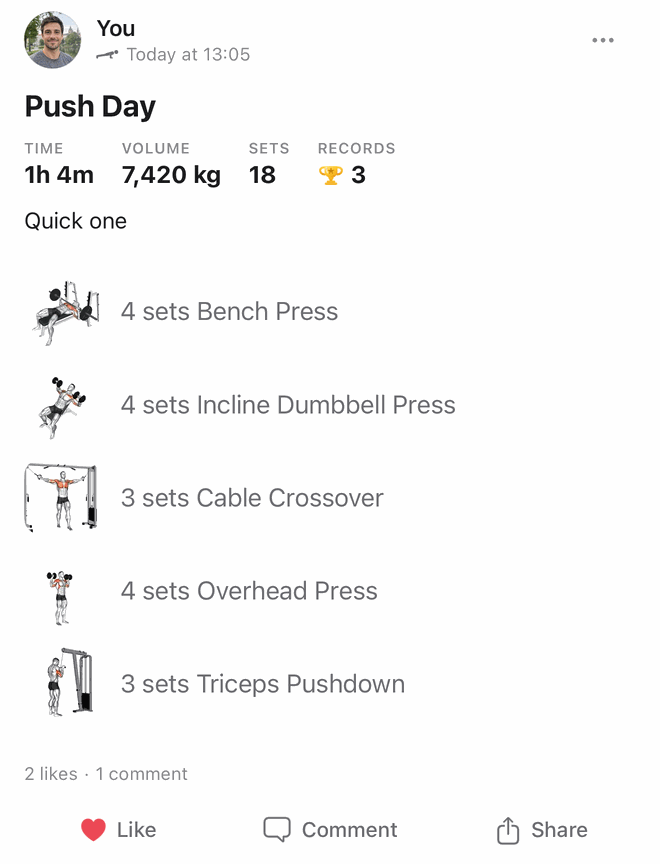
Follow friends, cheer on their workouts and tag the people you trained with.
The smaller things that make Bayda easy to live with.
Coming from Strava, Hevy or another app? Bring your workouts with you. Your export is read on your iPhone and never uploaded, and every workout keeps its original date.
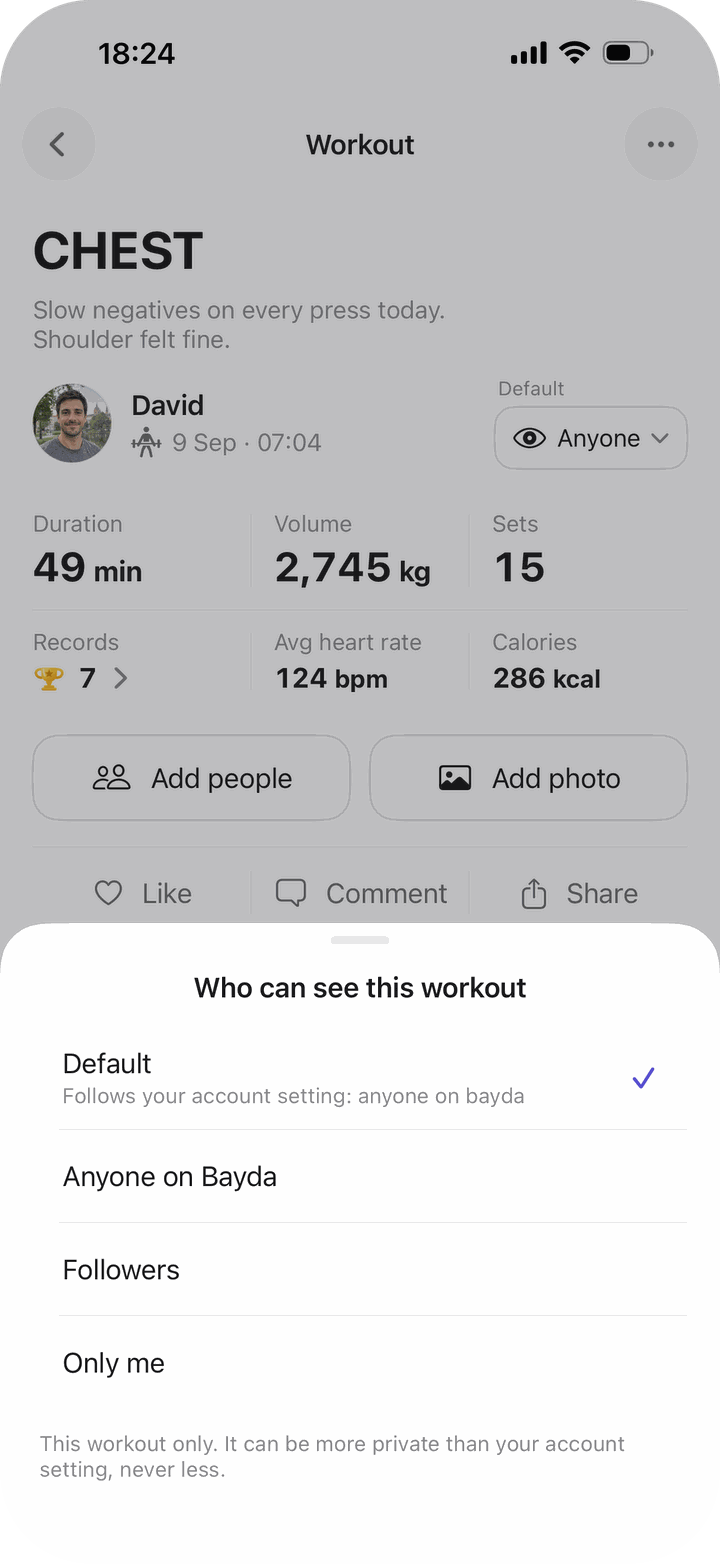
Anyone on Bayda, your followers, or only you, chosen workout by workout.
7records
Bayda marks every personal best, set by set.
Rest done
The rest timer follows you to the lock screen.
Packaged food goes in with one scan, no photo needed.
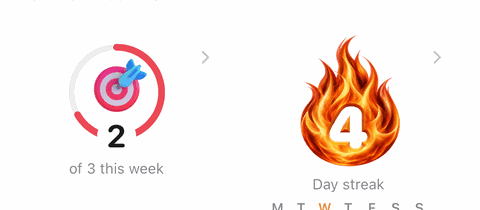
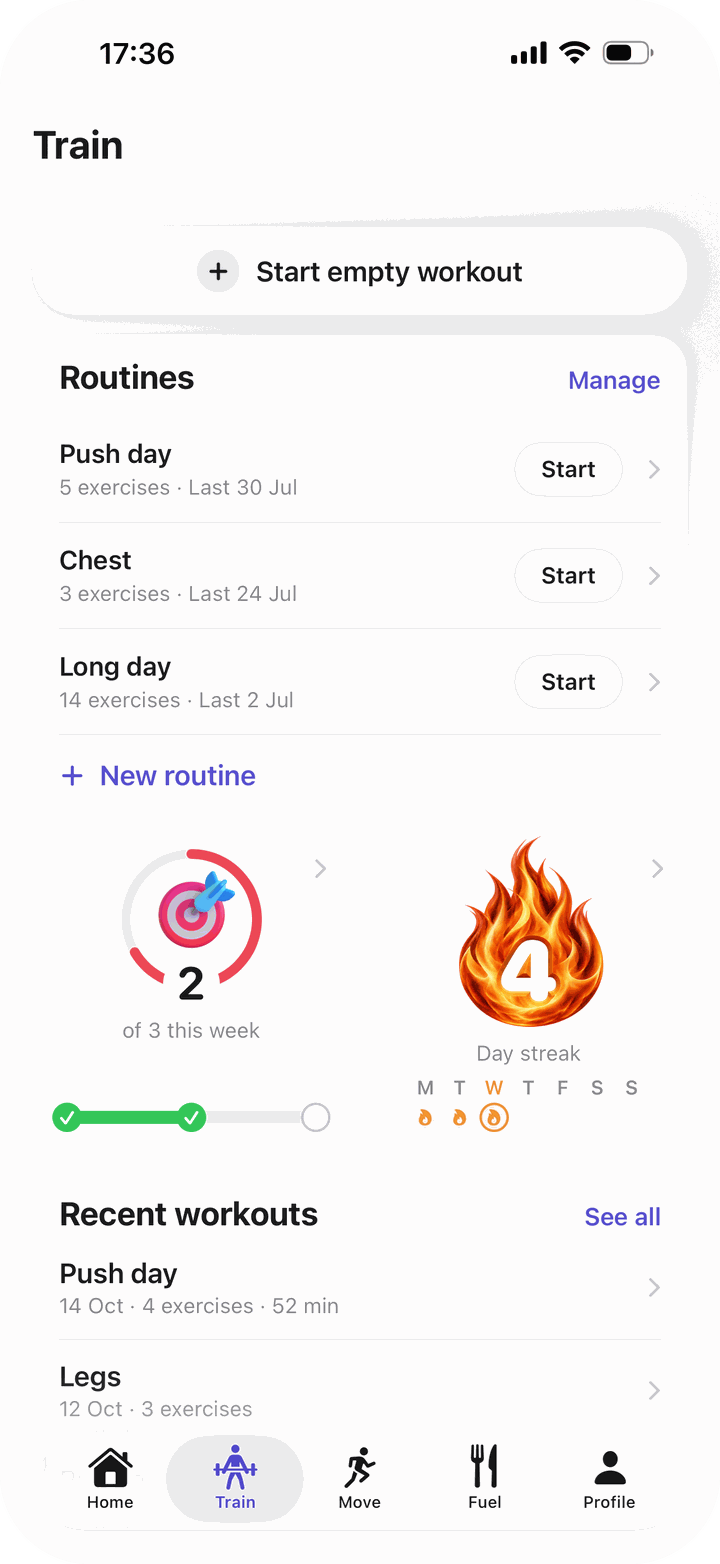
Pick how many sessions a week. Bayda keeps count, and celebrates the days in a row.
2 of 3 this week4 day streak
Here is where it goes, and where it never does.
Where you log it all. Import files are read here and never uploaded.
Stored in Ireland, under EU law. Export or delete everything, right from Settings.
Each workout has its own audience, down to only you. Hide your pace, start time or heart rate on any post.
Made smaller, stripped of location and sent to Anthropic’s Claude to estimate the food. Not used for training, deleted within 30 days.
No ads. No trackers. Never sold.
Your lifts, your runs, your meals and the friends you train with, all in the app you open every day.
Coming soon to the App Store. Want to hear when? Send us a note.
Bayda is in testing right now, and testers use all of it for free. If any part of it costs money later, the App Store will show you the price before you pay anything.
Any iPhone with iOS 18 or later: iPhone XS, iPhone XR, iPhone SE (2nd generation) and every newer model. Bayda is iPhone only for now.
Yes. Bayda can bring in workouts from Apple Health, including the ones you record on Apple Watch or in other apps, with their routes. It can fill in your height and date of birth from Health, and save your Bayda activities back to it if you turn that on. There is no separate Apple Watch app yet.
Yes. In Settings, Import your history brings in your workouts from apps like Strava, Hevy and Strong. Your export is read on your iPhone and never uploaded, and every workout keeps its original date.
It is an estimate, and Bayda labels it as one. It does best when each food on the plate is visible, and it can miss oil, butter and sauces, so check the portions before you add the meal. Every amount is yours to change.
Bayda makes the photo smaller, strips its location and time, and sends it to Anthropic’s Claude AI, which recognises the foods and estimates the amounts. Your name and account are not sent with it. Anthropic does not train on it and deletes it within 30 days. Bayda asks before your first scan, and the barcode and label scanners work without it.
Your account is stored in the EU, in Ireland. Other people see only what you share: every workout and route has its own audience, and you can keep everything to yourself. Bayda shows no ads and sells nothing.
In the app, open Profile, tap the gear, go to Data & account and tap Delete my account. It erases your workouts, routes, food diary, weigh-ins, photos and everything else in your account, and it cannot be undone. You can export all of it first, as a file, from the same page.
Yes, so your data is safe and follows you to a new iPhone. You sign in with Apple or Google, so Bayda never handles a password.
Bayda is made in Belgium by Baydalabs. Use the contact form or write to david@bayda-app.com, and we answer.
Ask us anything, tell us what you would like the app to do next, or ask to hear when it is on the App Store.
Prefer email? Write to david@bayda-app.com.